To view call logs, Navigate to Applications → Call Detail Records
¶ Active Calls
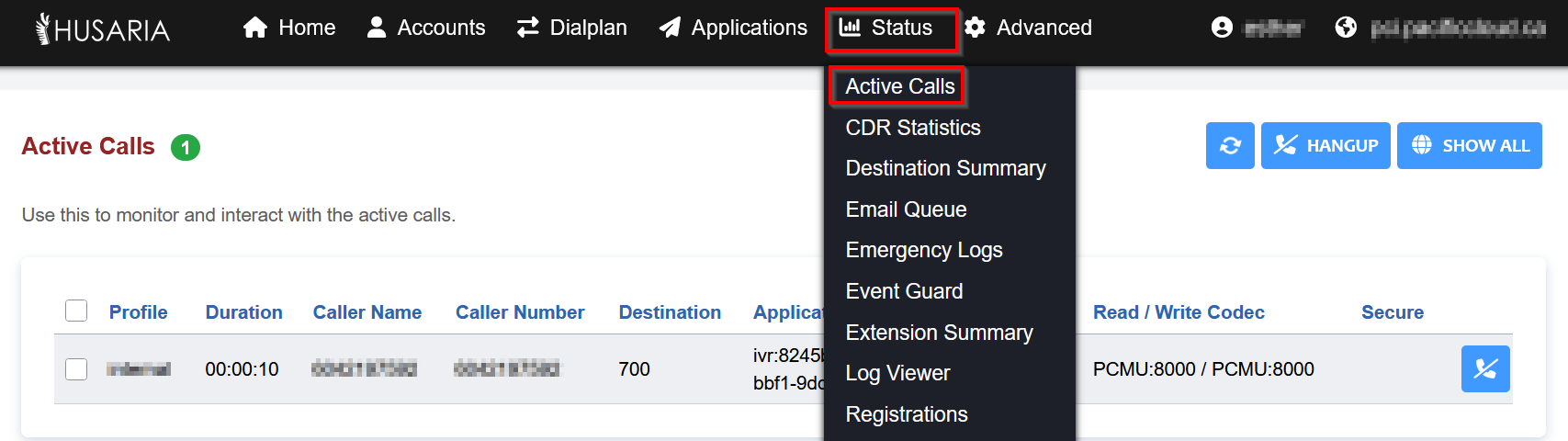
The Active Calls page displays all currently ongoing calls within your PBX system. This is useful for real-time monitoring and troubleshooting.
¶ CDR Statistics
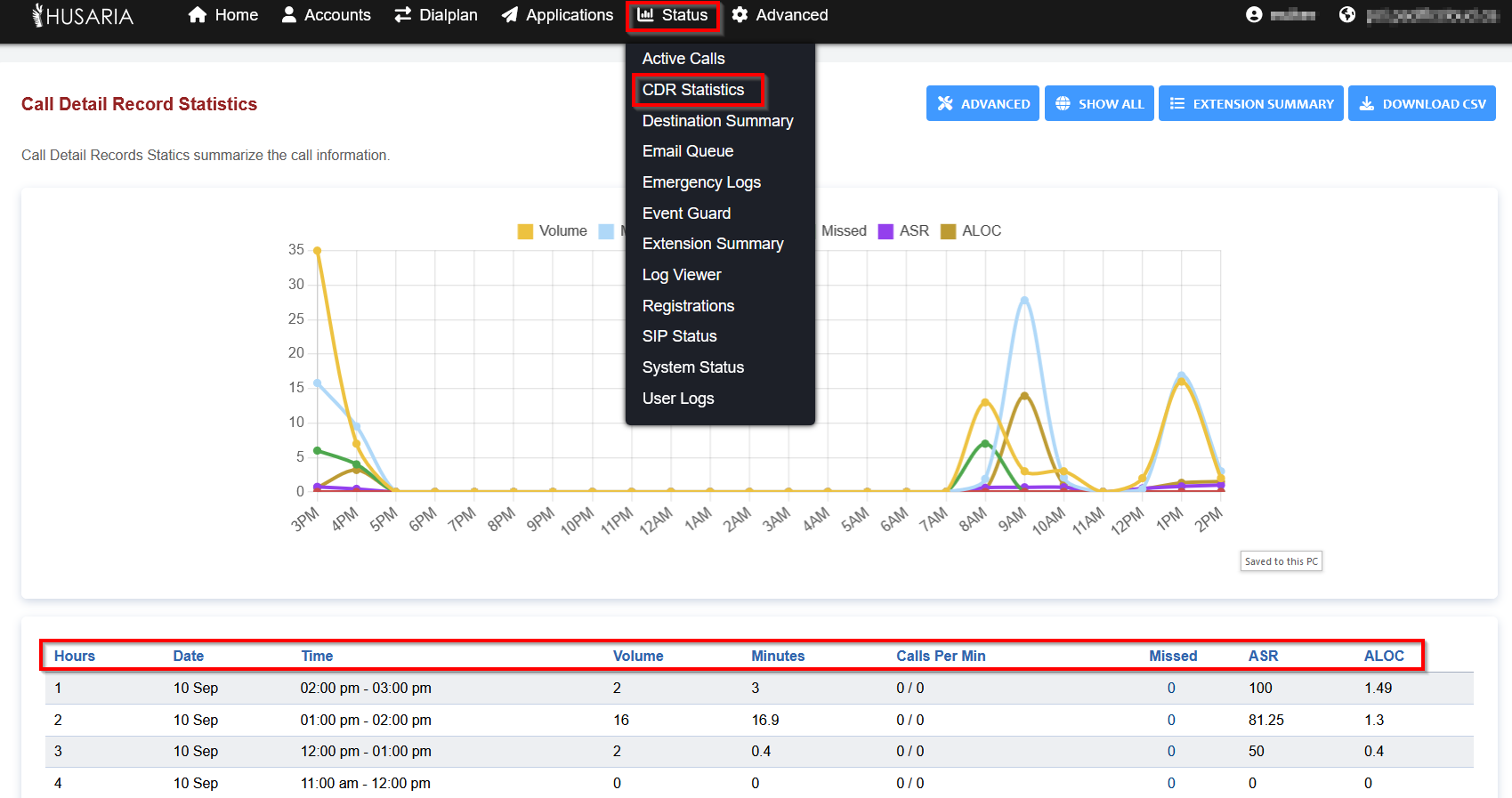
CDR Statistics summarizes the call information showing in the Call Detail Records section. This feature is useful for monitoring, auditing, and troubleshooting both inbound and outbound call behavior.
Definitions
- Hours: Specific hour in that day.
- Date: Specific date in that month.
- Time: Specific time in that day.
- Volume: Number of calls.
- Minutes: Specific number of minutes.
- Calls Per Minute: Specific number of calls per minute.
- Missed: Specific number of missed calls.
- ASR: The answer to seizure ratio. Which is how many calls where answered versus not answered.
- Aloc: ALOC is the average length of call.
- Days: Specific day in that month.
¶ Registrations
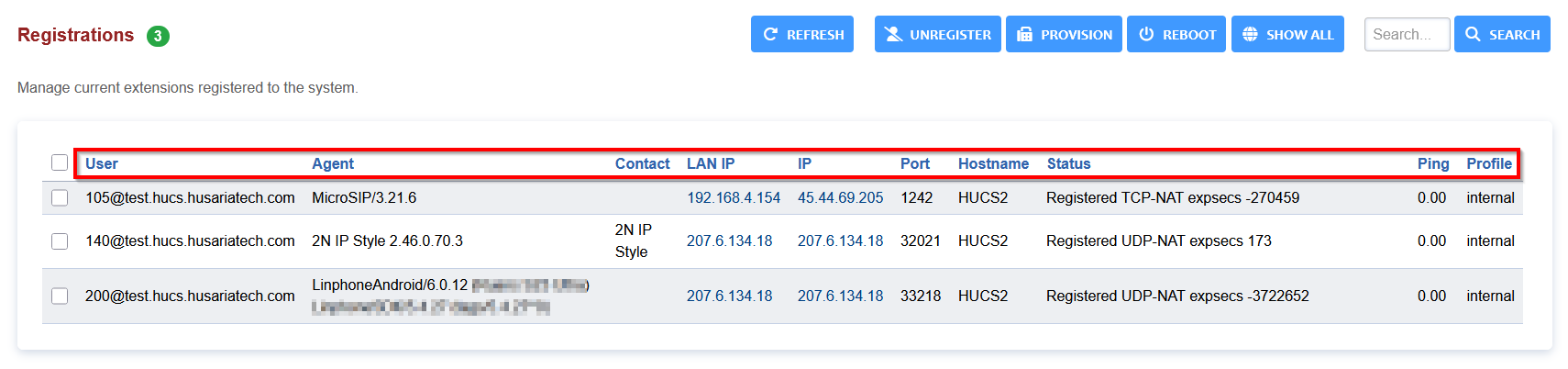
The Registrations section shows all SIP devices (phones, softphones, apps, etc.) currently connected to your VoIP system.
Each row represents an active IP device (extension) registered with the system.
Column Explanations:
- User: The SIP username (usually the extension number). Example: 105@test.hucs.husariatech.com is extension 105 on the test domain.
- Agent: Shows the device/software name that is registered. For example: Yealink, MicroSIP, Linphone, etc.
- Contact: The name associated with the extension (may be the employee name or phone label/extension).
- LAN IP: The local network IP address of the phone (within the site).
- IP: The public IP address the device uses to connect to the PBX (shows external access or VPN use).
- Port: The specific communication port used by the device.
- Hostname: Shows the server where the device is registered (e.g., HUCS2).
- Status: Indicates registration type and connection quality.
- Ping: Round-trip time between the device and PBX
- Profile: The SIP profile this device is using. Typically internal, which means local or VPN-registered.